


Effective date: 13 July 2026
Last updated: 13 July 2026
Effective date: 13 July 2026
Last updated: 13 July 2026
This Privacy Policy explains how SHA FITNESS LIMITED collects, uses, stores, shares and protects personal information when individuals use the Shaftiness mobile application.
It also explains the rights available to users under applicable UK data protection laws.
This policy applies to the Shaftiness mobile application available on iOS and Android. It does not cover analytics or cookies used separately on the SHA Fitness website.
Shaftiness is operated by:
SHA FITNESS LIMITED
Company number: 16882584
Registered office:
30 Timbermans View
Basildon
England
SS16 4UX
Website:
https://www.shafitness.co.uk/
Privacy and support email:
support@shafitness.co.uk
SHA FITNESS LIMITED is the data controller responsible for deciding how and why personal information collected through Shaftiness is used.
The privacy contact for Shaftiness is:
Sharathpriyan Surendranath, Founder
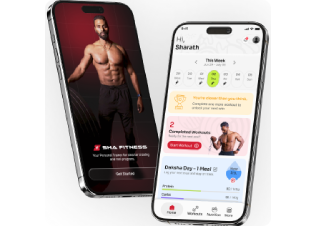
Shaftiness is an in-house fitness and lifestyle coaching application used by SHA Fitness clients and trainers.
The app allows clients to:
Shaftiness provides fitness and lifestyle coaching services. It is not intended to provide medical diagnosis, medical treatment or emergency healthcare.
Shaftiness is intended only for individuals aged 18 or over.
Accounts must not be created for anyone under the age of 18. If we discover that an account belongs to someone under 18, we may deactivate the account and delete the related information.
Clients cannot register independently. A client account is created through an invitation from an authorised trainer or Super Admin.
Shaftiness has the following user roles:
Super Admin
The Super Admin manages the Shaftiness platform, user accounts, trainers, permissions, support requests and account-deletion requests.
The Super Admin may access personal information only where reasonably necessary for platform administration, support, security, legal compliance or deletion requests.
Trainer
A trainer can access personal information relating only to clients assigned to them.
The trainer may view information required to provide fitness and lifestyle coaching, including questionnaire responses, workout results, nutrition logs and progress information.
If a trainer leaves SHA Fitness or has their access removed, they will no longer be able to sign in or access client information.
Client
Clients can view and manage the information and plans available through their own account.
6.1 Account and profile information
We may collect:
Passwords are stored using secure password-hashing methods. We do not store readable versions of a user’s permanent password.
If you provide another person’s details as an emergency contact, you should inform them that their information has been provided to SHA Fitness.
6.2 Health and PAR-Q information
Before gaining full access to the app, clients may be required to complete a Physical Activity Readiness Questionnaire, known as a PAR-Q.
Depending on the questions configured in the questionnaire, we may collect information about:
Health information is treated as special-category personal data and is given additional protection.
6.3 Fitness and body information
We may collect:
6.4 Nutrition and hydration information
We may collect:
Some nutrition information may be provided by the client during an onboarding call and entered into the app by an authorised trainer.
6.5 Questionnaire information
When a client completes a PAR-Q or onboarding questionnaire, we may store:
If the connection is interrupted during submission, questionnaire answers may be temporarily stored on the user’s device until they can be securely submitted. The temporary offline copy is removed after successful server confirmation.
6.6 Progress photographs and workout-completion photographs
The SHA Fitness App allows clients to take or upload photographs for different purposes.
We may collect:
Progress photographs
Progress photographs allow clients to visually monitor physical changes during their training programme.
Clients may use progress photographs to:
Taking or uploading a progress photograph does not, by itself, make the photograph available to the trainer.
After taking or uploading a progress photograph, the client will be given a clear choice about how the photograph is saved and used.
Depending on the options available in the app, the client may choose:
Save Only
The photograph will be stored in the client’s progress-photo area and will not be made available to the trainer.
Save & Share with Trainer
The photograph will be securely stored and automatically made available through the app to the client’s currently assigned SHA Fitness trainer for progress monitoring, coaching feedback and programme review.
The client’s choice will be recorded together with the date and time of the action.
Progress photographs are not made publicly available and cannot be viewed by other SHA Fitness clients.
Before-and-after comparisons
The app may allow clients to select progress photographs taken on different dates and display them together as a before-and-after comparison.
A comparison created by the client will only be available to the assigned trainer where:
Creating a comparison does not give SHA FITNESS LIMITED permission to use it for advertising, social media, testimonials or any other promotional purpose.
Workout-completion photographs
Workout-completion photographs are separate from progress photographs.
After completing a workout, a client may choose to take a photograph, apply a motivational frame, save it to their device or share it using the device’s external sharing menu.
The client controls whether a workout-completion photograph is shared externally and selects the application or recipient.
6.7 Support and notification information
We may collect:
6.8 Device and technical information
We may collect limited technical information, including:
Shaftiness does not currently use mobile advertising trackers or mobile app analytics providers.
The app may request permission to access:
Camera and photo-library permissions are used only for features involving profile, progress or workout photographs.
Users can manage these permissions through their device settings. Certain photo features may not work if camera or photo-library permission is disabled.
Shaftiness does not request access to contacts, precise GPS location or the microphone for its current features.
Photographs can contain embedded metadata, sometimes called EXIF data. This may include the device model, image settings, date, time and location information.
Shaftiness removes embedded EXIF metadata, including GPS location information, from uploaded progress and workout-completion photographs before permanent storage.
Shaftiness does not use facial recognition, facial identification or biometric identification.
This statement must only be published after EXIF removal has been tested and confirmed in production.
We receive personal information:
We use personal information to:
We do not sell personal information.
We do not use app information for third-party advertising.
We do not allow trainers to use client contact details for unrelated marketing.
We rely on different lawful bases depending on how information is used.
| Purpose | Lawful basis |
|---|---|
| Creating accounts and providing the SHA Fitness service | Performance of a contract |
| Assigning and delivering workout and nutrition plans | Performance of a contract |
| Authentication, account security and service messages | Performance of a contract and legitimate interests |
| Security, fraud prevention and access logging | Legitimate interests |
| Customer support and complaint handling | Performance of a contract, legitimate interests and legal obligations |
| Processing PAR-Q and health information | Consent under Article 6 and explicit consent under Article 9 |
| Storing progress photographs selected by the client | Consent under Article 6 |
| Making progress photographs available to the assigned trainer for progress monitoring and coaching | Consent under Article 6 and explicit consent under Article 9 where the photograph is processed as information about the client’s health or physical condition |
| Creating before-and-after comparisons | Consent |
| Recording photograph-sharing preferences and consent | Legal obligation, legitimate interests and evidence that valid consent was obtained |
| Using progress photographs, comparisons or transformation images in marketing | Separate explicit marketing consent |
| Meeting legal and regulatory responsibilities | Legal obligation |
Where photographs are used together with measurements, training records or other information to reveal or assess a person’s physical health, they may involve special-category health data. Processing special-category information requires an Article 6 lawful basis and a separate Article 9 condition, with explicit consent being one available Article 9 condition.
Before submitting the PAR-Q, the client will be asked to provide explicit consent for SHA FITNESS LIMITED to process health information for fitness coaching, exercise readiness, safety and progress monitoring.
Health-data consent must be separate from:
A record of the consent, including its wording, date, time and version, will be retained.
Clients may withdraw their health-data consent by contacting:
If health-data consent is withdrawn, we will stop actively using the health information on the basis of consent.
Because health and PAR-Q information is required to provide safe and personalised coaching, withdrawal may mean that Shaftiness can no longer provide some or all of its services. The account may therefore be deactivated.
Withdrawal does not affect processing carried out lawfully before consent was withdrawn.
Uploading progress photographs is optional.
Clients can continue to access the core workout and coaching features of the SHA Fitness App without uploading progress photographs, although some visual progress-comparison features will not be available.
Before a progress photograph is shared with a trainer, the app will clearly explain:
The client must take an affirmative action, such as selecting Save & Share with Trainer, before the photograph becomes available to the trainer.
Selecting Save & Share with Trainer confirms that the client agrees to:
We will record appropriate evidence of this choice, which may include:
The client may withdraw permission for future trainer access or request deletion of a photograph by contacting support@shafitness.co.uk.
Where permission is withdrawn, we will stop making the photograph available to the trainer within a reasonable period, subject to any information we are legally permitted or required to retain.
Withdrawal does not affect the lawfulness of processing that took place before permission was withdrawn.
Consent should be separate from accepting the general Privacy Policy or App Terms. It must give users a genuine choice and clearly identify the purpose and recipient of the sharing.
Client information is not visible to other Shaftiness clients.
Depending on the information and purpose, it may be viewed by:
Progress photograph access
Progress photographs are not visible to other SHA Fitness clients and are not displayed on a public social feed.
A progress photograph may be viewed by:
Where the client selects Save Only, the photograph will not be displayed in the trainer’s account.
Where the client selects Save & Share with Trainer, the photograph will automatically appear within the relevant client progress area available to the assigned trainer.
The trainer may use the shared photograph to:
The trainer must not:
Trainer access is limited to the client’s currently assigned trainer or trainers.
Where a trainer is removed from the client, leaves SHA Fitness or has their access deactivated, they will no longer be able to access the client’s progress photographs through the app.
Note: The final paragraph regarding whether a newly assigned trainer can access previously shared historical progress photographs should only be published once it matches the app's actual technical behaviour. If historical photographs are transferred to replacement trainers, the Privacy Policy should state this clearly. If they are not, the policy should state that previously shared photographs remain unavailable to newly assigned trainers.
This section concerns workout-completion photographs shared through external applications. It does not apply to progress photographs shared with an assigned SHA Fitness trainer through the Save & Share with Trainer feature. Progress-photo sharing with a trainer is explained in Sections 6.6, 12A and 13.
After completing a workout, a client may choose to take a photograph, apply a motivational frame and open the device’s sharing menu.
Shaftiness does not automatically publish the photograph and does not choose the recipient.
The client decides:
Once the client shares a photograph through WhatsApp, Instagram, Facebook, email or another service, that external service will process the photograph under its own privacy policy and settings.
Shaftiness does not track which friend, contact or external recipient receives a shared photograph.
SHA FITNESS LIMITED will not use a client’s progress photograph, workout photograph, transformation image, name, testimonial or health story in advertising, social media or promotional material without separate permission.
Marketing consent will:
Withdrawing marketing consent will prevent future marketing use.
It may not always be possible to recall material that has already been lawfully printed, published or shared by third parties, but we will take reasonable steps to stop future use.
Sharing a progress photograph with an assigned trainer for coaching does not give SHA FITNESS LIMITED permission to use the photograph, a before-and-after comparison or related information for marketing. A separate and optional marketing-consent request will be presented before any such use.
Refusing or withdrawing marketing consent will not affect the client’s eligibility to receive coaching or use the progress-photo feature.
We use service providers to operate Shaftiness.
These may include:
Amazon Web Services
AWS provides application hosting and S3 file storage.
The primary infrastructure is hosted in the London region, identified as AWS eu-west-2.
Neon
Neon provides database infrastructure used to store application and account information.
Google services may be used for:
Google Analytics is used on the SHA Fitness website but is not currently included in the Shaftiness mobile app.
Apple
Apple Push Notification Service may be involved in delivering notifications to iOS devices.
Service providers are permitted to use personal information only as required to provide their services, meet legal obligations or protect their systems.
We may also disclose information:
Shaftiness’s main application infrastructure is hosted in the United Kingdom.
Development personnel located in India work on the Shaftiness product but are not provided access to:
Some technology providers may operate internationally or use infrastructure located outside the UK.
Where personal information is transferred outside the UK, we will ensure that an appropriate legal mechanism is used, such as:
Under UK GDPR, allowing a separate organisation outside the UK to remotely access UK personal information can itself constitute a restricted international transfer. Such transfers require an approved transfer mechanism. (ICO)
We retain account, coaching, workout, nutrition, health and progress information while the account remains active and the information is needed to provide the service.
When an account-deletion request is accepted:
This includes, where applicable:
Limited information may be retained for longer where required by law or where reasonably necessary to establish, exercise or defend legal claims.
UK data protection law does not set one universal retention period. Organisations must justify retention based on why the information is needed and must not retain it longer than necessary. (ICO)
Deleting progress photographs
Clients may request the deletion of an individual progress photograph, before-and-after comparison or workout-completion photograph.
Where an in-app deletion option is available, the client may submit the request from the relevant photograph or account area.
Alternatively, requests may be sent to support@shafitness.co.uk.
The request should include enough information to identify the photograph, such as:
We may ask the client to verify their identity before deleting or restricting access to a photograph.
When an individual progress photograph is deleted:
Limited records of the deletion request may be retained where reasonably necessary to demonstrate that the request was completed or to meet legal obligations.
Deleting an individual photograph does not automatically delete the client’s account or other coaching records.
A complete account-deletion request may also be submitted through the app or by emailing support@shafitness.co.uk.
Individuals can request erasure of personal information, although the right is subject to applicable legal exceptions.
We use technical and organisational measures designed to protect personal information, including:
No electronic service can guarantee complete security. Users should keep their password confidential and notify us if they believe their account has been compromised.
Shaftiness may send essential service communications, including:
The app may also send optional reminders relating to:
Users can manage optional notification preferences within the app or through their device settings.
Disabling push notifications does not prevent essential account or security emails from being sent.
Shaftiness does not currently send promotional marketing messages through the mobile app.
Shaftiness does not currently use fully automated decision-making or profiling that produces legal or similarly significant effects.
Workout and nutrition plans are assigned or reviewed by an authorised trainer.
The app does not automatically diagnose health conditions, determine medical risk or replace professional medical judgement.
Depending on the circumstances, users may have the right to:
The right to deletion is not absolute, and some information may need to be retained where there is a legal reason. The ICO confirms that individuals may request erasure, but exceptions can apply. (ICO)
Requests should be emailed to:
We may request proof of identity before responding.
We aim to respond without undue delay and normally within one calendar month. More time may be required for complex or multiple requests, where permitted by law. (ICO)
You have the right to object to certain processing based on legitimate interests.
To object, contact:
We will consider the reasons for the objection and stop the processing
If you are concerned about how Shaftiness has handled your personal information, contact:
Sharathpriyan Surendranath
Founder, SHA FITNESS LIMITED
We will:
You also have the right to complain to the UK Information Commissioner’s Office (ICO).
We may update this Privacy Policy when:
Where a change materially affects how personal information is used, we will notify users by email, through the app, or both.
Where required, we will ask users to review the updated policy or provide fresh consent.
The effective date and last-updated date will be shown at the beginning of this policy.
Questions, privacy requests, photograph deletion requests, consent withdrawals and complaints should be sent to:
SHA FITNESS LIMITED
30 Timbermans View
Basildon
England
SS16 4UX
Email: support@shafitness.co.uk
Privacy contact: Sharathpriyan Surendranath, Founder